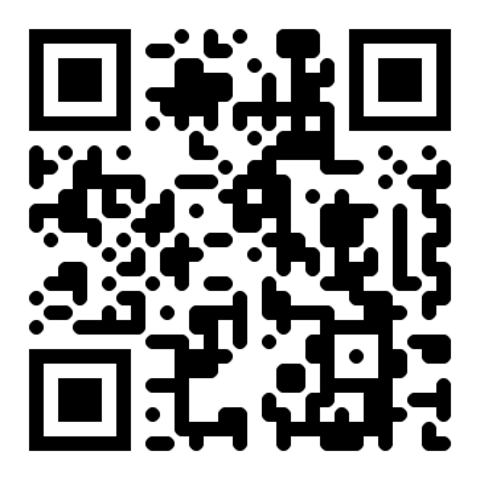
Why a QR code works so well for event RSVPs
Paper RSVP cards bounce, get lost in the mail, and arrive a week after the deadline. A QR code linked to a digital form ends every one of those problems.
- No more chasing replies — your spreadsheet updates the moment a guest scans and submits.
- Real-time attendance count — know exactly how much food, seating, and cake to order, with no guesswork.
- Capture everything in one go — dietary restrictions, plus-ones, song requests, gift preferences, all on one form.
- Universal use — birthdays, baby showers, grad parties, corporate events, school events, weddings.
- Zero postage — no return envelopes, no stamps, no late returns.
- Native camera scan — every iPhone and Android handles it without an app.
Generate your RSVP QR in 5 steps
Build an RSVP form
Use Google Forms (free, universal), Partiful (prettier UI), Punchbowl, or Paperless Post. Pick whichever matches your event vibe — the QR works the same with all of them.
Capture name, Y/N, plus-ones, dietary
Add fields for: name, attending Yes/No, plus-ones (count), dietary restrictions (free text), and optionally a song request or note to host. Keep the form under 6 questions or completion drops.
Generate URL QR with the form link
Copy the public form URL and paste it into the URL QR generator. Download the PNG (or SVG for sharper print) and test scan with your phone before sending to the printer.
Print on save-the-dates and invitations
Place the QR on the back of every printed invitation. Pair it with the caption "Scan to RSVP →" and an RSVP by [date] reminder so the deadline is unmissable.
Send a reminder text 1 week before
Text the same form link (or another QR image) 7 days before. Most last-minute RSVPs land here — it's the single highest-leverage nudge in event planning.
3 RSVP QR templates that hosts actually use
💌 Paper invitation QR
Back of every printed invitation. "Scan to RSVP by [date]" with the QR centered.
🧲 Save-the-date fridge magnet
Magnetic card with QR. Lives on the fridge until the event — guests RSVP weeks ahead.
📨 Email invite QR
Embed the QR image in HTML email. Guests forward to plus-ones who scan from their own screen.
Best practices for event RSVP QR cards
- Use a mobile-optimized form — Google Forms works fine, Partiful is prettier on phones. Test the form on a phone before printing.
- Add an RSVP by [date] reminder near the QR — deadlines printed beside the code dramatically lift on-time replies.
- Test on iPhone & Android — both should auto-prompt to open the form. Catch any redirect issues before mailing 80 invitations.
- Set up automatic email confirmations — guests feel reassured their RSVP went through, and you avoid duplicate submissions.
- Pair with a follow-up text reminder — one nudge 7 days out, one nudge 2 days out. Don't skip either.
Common mistakes to avoid
- Google Form requiring sign-in — toggle off "Restrict to my organization" and "Sign-in required." Older guests will quit otherwise.
- No "RSVP by" date — without a deadline you'll be chasing replies 3 days before the party.
- QR on dark invitation paper — low contrast kills scan rates. Print the QR inside a white square if your stationery is dark.
- Forgetting to check responses regularly — set a calendar reminder to review the spreadsheet weekly.
Frequently asked questions
Will this work for older guests?
Yes — modern iPhones and Androids auto-recognize QR codes from the camera. For grandparents, include a fallback phone number or email so they can RSVP the old-fashioned way.
What's the best free RSVP tool?
Google Forms is the most universal (configure to skip sign-in). Partiful is the prettiest for casual events. Punchbowl and Paperless Post suit formal invitations with matched stationery.
Can I track plus-ones?
Yes. Add a number-input field labeled "How many guests including yourself?" — total the column in your spreadsheet for an instant headcount.
How do I capture dietary restrictions?
Add a free-text field labeled "Any dietary restrictions or allergies?" Some hosts use checkboxes (vegetarian, vegan, gluten-free, nut allergy) plus a free-text "other" for completeness.
Can I send the QR via text reminder?
Yes — attach the QR image to a group text or include the form URL directly. Both work; the link is faster on mobile, the QR is better on a printed reminder card.
Can guests change their RSVP later?
Depends on the tool. Google Forms allows editing if you enable "Edit after submit." Partiful and Punchbowl let guests update from their original confirmation email.
Is this QR code generator really free, with no catch?
Yes — free forever. No sign-up, no watermark, no usage limits, no expiry. The entire generator runs in your browser, so we have no server costs to recover. No premium tier exists.
Will my QR code expire or stop working?
No. Static QR codes (which this site generates) never expire — they encode the destination directly into the image. The QR works as long as the URL or content it points to is still valid. Print once, scan forever.
Can I track how many people scan my QR code?
Not from the QR itself (static codes have no built-in analytics). The simplest workaround: add UTM parameters to your destination URL (e.g. ?utm_source=qr&utm_campaign=flyer) and read scans in Google Analytics, Plausible, or your site's log files.
What's the minimum print size for a QR code to scan reliably?
Rule of thumb: 2×2 cm (0.8") for cards and stickers, 5×5 cm for table tents and posters, 30×30 cm for billboards. The 1:10 ratio works: scan distance ≈ QR size × 10. Always test scan at actual size before printing a large batch.
Can I edit where the QR points after it's printed?
Not directly — static QR codes have the destination baked in. Workaround: point your QR to a short URL on your own domain (e.g. yourdomain.com/menu) that redirects to the real destination. You can change the redirect target any time without reprinting.
Related guides
From the blog
← Browse all For Events QR codes