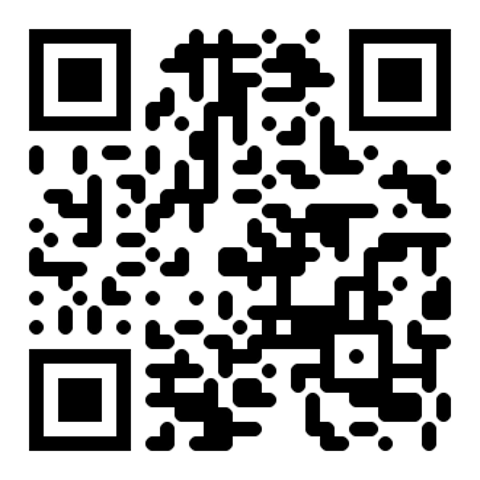
Why a QR code tip jar works so well
Cash usage is dropping 30%+ year-over-year. Your customers want to tip but don't have cash — and they're not going to a bank because of you. Removing the friction recovers the 60–80% of 'intent to tip' that's currently being lost.
- No app to download for the tipper — they scan, the platform's mobile site or already-installed app handles the rest.
- No account number sharing — your @username or $cashtag is encoded into the QR, not blurted out at the counter.
- Works for baristas, valets, street performers, freelancers, gig workers — anyone with a hands-busy job that used to rely on cash.
- Instant settlement to your PayPal, Venmo, or Cash App. No 30-day waits.
- Suggested tip amounts in the URL (e.g., $5) anchor the decision and increase average tip size.
Generate your tip jar QR in 5 steps
Set up a PayPal.Me link, Venmo username, or Cash App $cashtag
Pick the platform your customers already use. PayPal.Me is the most universal, Venmo wins with millennials in the US, Cash App is dominant for younger customers and freelancers.
Build a tip URL with default amount
Use a URL with a suggested amount — paypal.me/yourname/5 suggests a $5 tip. A pre-filled amount anchors the tip size and prevents decision paralysis.
Generate the QR with the PayPal, Bitcoin, or URL generator
Open the PayPal QR generator (or the URL generator for any other link), paste the link, and download. Black on white prints reliably on every paper.
Add a clear 'Tap to tip!' caption
Add a friendly 'Tip $1–$5' or 'Tap to tip!' caption next to the QR. Customers need to know what's going to happen before they scan a stranger's QR.
Laminate for outdoor / wet conditions
If you work outside (baristas at outdoor stands, valets, beach performers), laminate the card or print on vinyl stickers. Rain destroys regular paper in one shift.
3 tip jar QR templates that actually get scanned
☕ Counter mini sign
Bento-sized sign at the register — 'Tap to tip!' with $1/$3/$5 options.
🎷 Lanyard for street performers
Hangs around the neck — passersby scan from a distance.
🅿️ Valet stand QR
Hotel/restaurant valets — guests tip from the car without rolling down windows.
Best practices for QR code tip jars
- Use a default amount in the URL to anchor the tip size —
paypal.me/yourname/5for $5. - Include suggested amounts in the visible caption — 'Tip $1, $3, or $5 — tap to choose'.
- Weatherproof for outdoor use — laminate or use vinyl stickers.
- Add a friendly 'Thank you!' landing page after payment if your platform supports it — small touch, big repeat-tip impact.
- Display a small photo or your name near the QR — customers want to know who they're tipping.
- Test scan from 50 cm away — that's the realistic distance from a counter or valet stand.
Common tip jar QR mistakes to avoid
- Linking to a Venmo username without verifying the account — customer pays the wrong person and you'll never know.
- No suggested tip amount — decision paralysis equals no tip at all.
- QR without context near it — customer unsure where the money goes won't scan.
- Printing on regular paper for outdoor use — rain destroys it within a single shift.
Frequently asked questions
What payment apps work?
PayPal.Me, Venmo, Cash App, Zelle (US), Wise, Revolut, and crypto (Bitcoin/Ethereum) all work via URL or native QR formats.
Are tips taxable income?
Yes, in most countries. Track them for tax season. Some platforms provide year-end totals to make filing easier.
Do I need a business account?
No, personal accounts work for tips. Business accounts (PayPal Business, Cash App for Business) offer better analytics and customer protection.
Can multiple workers share one tip QR?
Yes, if you have a single shared account. Otherwise, each worker should have their own QR.
Can customers tip in crypto?
Yes — generate a Bitcoin/Ethereum QR (BIP21 format) for crypto tips. Pair with a fiat option for non-crypto tippers.
Can I do Apple Pay or Google Pay tips?
Apple Pay/Google Pay can be added to most platforms (PayPal, Venmo, etc.) — the QR opens the platform, customer pays with Apple/Google Pay.
Privacy — does the customer see my full name?
Depends on the platform. PayPal.Me shows your name; Venmo shows your username; Cash App shows your $cashtag. Use a brand name or initials if privacy matters.
Is this QR code generator really free, with no catch?
Yes — free forever. No sign-up, no watermark, no usage limits, no expiry. The entire generator runs in your browser, so we have no server costs to recover. No premium tier exists.
Will my QR code expire or stop working?
No. Static QR codes (which this site generates) never expire — they encode the destination directly into the image. The QR works as long as the URL or content it points to is still valid. Print once, scan forever.
Can I track how many people scan my QR code?
Not from the QR itself (static codes have no built-in analytics). The simplest workaround: add UTM parameters to your destination URL (e.g. ?utm_source=qr&utm_campaign=flyer) and read scans in Google Analytics, Plausible, or your site's log files.
What's the minimum print size for a QR code to scan reliably?
Rule of thumb: 2×2 cm (0.8") for cards and stickers, 5×5 cm for table tents and posters, 30×30 cm for billboards. The 1:10 ratio works: scan distance ≈ QR size × 10. Always test scan at actual size before printing a large batch.
Can I edit where the QR points after it's printed?
Not directly — static QR codes have the destination baked in. Workaround: point your QR to a short URL on your own domain (e.g. yourdomain.com/menu) that redirects to the real destination. You can change the redirect target any time without reprinting.
Related guides
From the blog
← Browse all For Payments QR codes